
Introduction
In today’s digital era, online shopping has become a cornerstone of business growth, and if you’re running an e-commerce store, you need to take full advantage of advertising tools that can drive traffic and increase conversions. Google Shopping Ads is one of the most powerful tools available for e-commerce businesses. These ads allow retailers to showcase their products directly in Google search results, making them more visible and increasing the likelihood of attracting potential customers.
This blog post will guide you through the ins and outs of Google Shopping Ads, explaining what they are, how they work, and why they’re essential for your business. Whether you’re just getting started or looking to improve your current campaigns, this guide will help you understand the full potential of Google Shopping Ads.
What Are Google Shopping Ads?
Google Shopping Ads are visual advertisements that allow retailers to display their products directly in search results when a user searches for a related product. Unlike traditional text-based Google Ads, these ads display product images, prices, store names, and other relevant details. These types of ads help consumers make informed decisions quickly by providing key product information right on the search engine results page (SERP).
The main difference between Google Shopping Ads and traditional text ads is that Shopping Ads are based on the product data you provide in your Google Merchant Center account, not on keywords or search queries. By leveraging product feeds, Google Shopping Ads display highly relevant, targeted ads to users based on their search intent.
For e-commerce businesses, Google Shopping Ads are an excellent way to increase product visibility and drive qualified traffic to your website, significantly boosting sales.
How Google Shopping Ads Work
Google Shopping Ads work by using the information provided in your product data feed to match your products with relevant search queries. This data is uploaded to the Google Merchant Center, where Google can access all the necessary product details like titles, descriptions, images, and prices.
When a user searches for a product, Google uses your product feed to display your ad, showing relevant product details like:
- Product image
- Price
- Availability
- Store name
This means that rather than relying solely on keywords, Google Shopping Ads focus on the actual product attributes you provide, ensuring that your ads are shown to users with high purchase intent. The accuracy and completeness of your product data are crucial for the success of your Google Shopping campaigns. Poor product feeds may lead to ads being shown to the wrong audience, which can affect your overall ad performance.
Key Features of Google Shopping Ads
Google Shopping Ads come with a range of features that set them apart from traditional text ads. These features make them highly effective for e-commerce stores:
- Visual Ads: The most notable feature of Google Shopping Ads is the inclusion of product images. This allows users to see the product before they click, which often leads to higher engagement and conversions.
- Price and Availability: Unlike standard text ads, Shopping Ads show the price of the product and whether it’s in stock, providing users with all the necessary information at a glance.
- Location-Based Targeting: Google Shopping Ads allow you to target customers based on their location, making it easier to reach potential buyers within your desired market area.
- Performance Tracking: With detailed reporting and tracking, Google Shopping Ads give you insights into how well your ads are performing, allowing you to optimize your campaigns based on the results.
By using Google Shopping Ads, you can create compelling ads that give users the information they need to make informed purchasing decisions.
Benefits of Using Google Shopping Ads
The benefits of using Google Shopping Ads are immense, particularly for businesses in the e-commerce space. Below are some key reasons why you should consider using them:
- Increased Visibility: Since Google Shopping Ads appear directly in the search results with product images, they are more visually appealing and stand out from the rest of the content on the SERP.
- Higher Conversion Rates: Studies show that Google Shopping Ads have higher conversion rates compared to traditional search ads. This is because users can quickly evaluate the product’s price, image, and availability, which leads to more informed purchase decisions.
- Reaching the Right Audience: Google Shopping Ads are displayed to users who have already shown intent to buy similar products, making these ads incredibly targeted. This targeting significantly improves the chances of making a sale.
- Cost-Effective: Google Shopping Ads often generate a higher ROI compared to other forms of advertising, especially if you have a well-optimized campaign. They help you reach your target audience efficiently without spending unnecessarily.
- Better Product Discovery: For customers searching for specific products, Google Shopping Ads offer a quick and easy way to discover exactly what they’re looking for, making your product more likely to be clicked and purchased.
Setting Up Google Shopping Ads: A Step-by-Step Guide
Getting started with Google Shopping Ads requires a few initial steps to set up the necessary accounts and feeds. Here’s a step-by-step guide to help you set up your first campaign:
- Create a Google Merchant Center Account: This is where you’ll upload your product data feed. Ensure all your product information is accurate and complete for the best results.
- Link Your Google Ads Account: To create a Shopping campaign, you need to link your Google Merchant Center account with your Google Ads account. This allows Google to pull your product data from Merchant Center into Google Ads.
- Create a Product Feed: Your product feed is a file that contains all the information about your products, such as names, descriptions, prices, and availability. The feed must be in a format accepted by Google, such as XML or CSV.
- Create Your First Google Shopping Campaign: Once your feed is uploaded and your accounts are linked, you can create a new campaign in Google Ads. Select the “Shopping” campaign type, choose your target country, and set a daily budget.
- Optimize Your Campaign: Once your campaign is live, keep an eye on the performance and adjust your bids, targeting, and product data as necessary. Optimizing your campaign regularly will help ensure that your ads are showing to the right audience.
By following these steps, you can effectively set up Google Shopping Ads and start driving traffic to your e-commerce store.
Advanced Google Shopping Ads Strategies
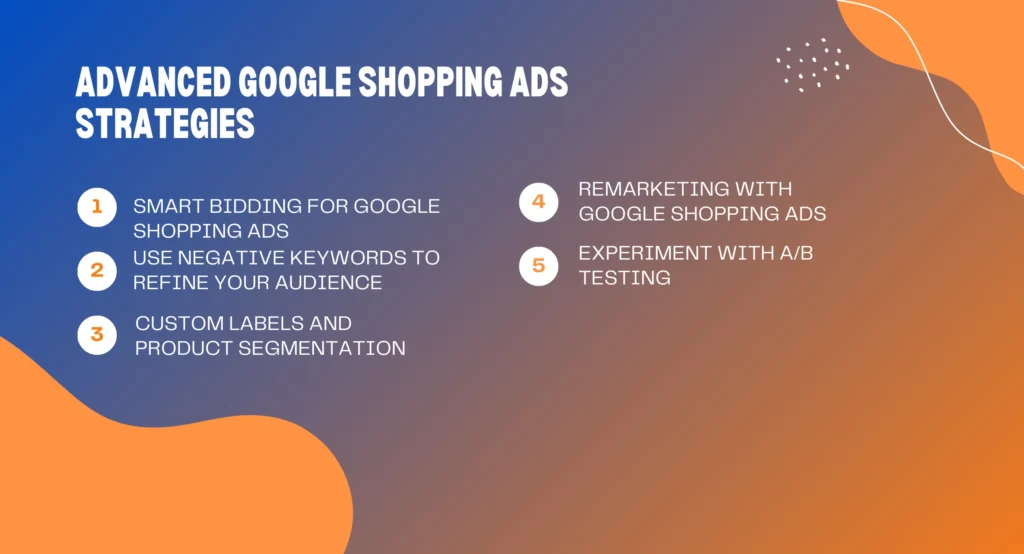
1. Smart Bidding for Google Shopping Ads
To truly optimize your Google Shopping Ads, consider leveraging Google’s Smart Bidding strategy. Smart Bidding uses machine learning to automatically adjust bids in real-time, based on the likelihood of a conversion. This ensures that you’re bidding the right amount for each click, without manually setting individual bids for each product.
Smart Bidding options like Target ROAS (Return on Ad Spend) can help you get the most value from your ads by focusing on high-conversion products. If you’re running multiple campaigns, Smart Bidding can also help streamline the process and maximize efficiency.
2. Use Negative Keywords to Refine Your Audience
Negative keywords play a crucial role in optimizing your Google Shopping Ads campaigns. By using negative keywords, you prevent your ads from showing up for irrelevant searches. For example, if you’re selling high-end watches, you don’t want your ads to appear for searches related to “cheap watches.”
Refining your audience with negative keywords can improve your ad performance and reduce wasted ad spend. You can add negative keywords at the campaign or ad group level in Google Ads, and this will help ensure that your Google Shopping Ads only appear to users who are truly interested in your products.
3. Custom Labels and Product Segmentation
Custom labels are an advanced feature in Google Shopping Ads that allow you to segment your products in the feed based on certain attributes, like seasonal products, best sellers, or products with high margins. Using custom labels effectively helps you create more tailored campaigns that target specific product groups.
For instance, you can set up a campaign for products with the custom label “Best Sellers,” allowing you to bid more aggressively on those items to increase visibility during peak shopping seasons.
4. Remarketing with Google Shopping Ads
Remarketing is a powerful way to target potential customers who have already shown interest in your products but haven’t made a purchase. With Google Shopping Ads, you can use remarketing lists to display your ads to users who have visited your site before. This tactic can significantly increase conversion rates as these users are already familiar with your brand and products.
By integrating Google’s dynamic remarketing features, you can show personalized ads that display the exact products a user viewed on your website, further encouraging them to complete their purchase.
5. Experiment with A/B Testing
To continuously improve your Google Shopping Ads performance, A/B testing is a must. Test different elements of your ads, such as product titles, descriptions, and images, to see what resonates most with your audience. Even small changes can make a significant difference in your ad performance.
By regularly running A/B tests, you can identify the best-performing combinations and refine your product listings accordingly. This is essential for maintaining high-quality ad campaigns and ensuring that your Google Shopping Ads deliver optimal results.
Google Shopping Ads vs. Traditional Google Ads
While both Google Shopping Ads and traditional Google Ads are effective in driving traffic, there are key differences between the two. Traditional Google Ads rely on text-based ads and keyword targeting, while Google Shopping Ads focus on product listings, using product data feeds rather than keywords.
The main advantage of Google Shopping Ads is that they provide potential customers with detailed information before they even click on your ad. With the inclusion of product images, prices, and store names, these ads tend to attract more clicks from users who are ready to buy. Traditional text ads, on the other hand, rely more on compelling ad copy and keywords, which may require more effort in crafting persuasive messages.
Common Mistakes to Avoid with Google Shopping Ads
To ensure success with Google Shopping Ads, avoid these common mistakes:
- Poor Product Feed Quality: Inaccurate or incomplete product feeds can lead to poorly performing ads. Ensure your product data is up-to-date and optimized.
- Not Optimizing Product Listings: Failing to optimize product titles, descriptions, and images can hurt your ad performance. Make sure each product is correctly represented in your feed.
- Overlooking Negative Keywords: Negative keywords help prevent your ads from showing for irrelevant searches. Don’t forget to use them to refine your targeting.
- Not Tracking Performance: If you’re not tracking the performance of your campaigns, you won’t know what’s working and what’s not. Regularly monitor your campaigns and adjust as needed.
Advanced Tips for Maximizing Google Shopping Ads Performance
If you’re already familiar with the basics of Google Shopping Ads, these advanced tips can help you take your campaigns to the next level:
- Use Advanced Targeting: Explore advanced targeting options, like remarketing, custom labels, and product segmentation, to reach more specific audiences.
- Leverage Machine Learning: Google Ads offers automated bidding strategies and machine learning tools that can help you optimize your campaigns in real-time.
- Optimize for Mobile: Ensure that your Google Shopping Ads are optimized for mobile devices, as more consumers are shopping on their smartphones than ever before.
- Test Different Product Groups: Group similar products together in your campaigns to better control your bidding and performance.
Understanding Google Shopping Ads Bidding Strategies
One of the key components of a successful Google Shopping Ads campaign is the bidding strategy you choose. Google offers various bidding options, each tailored to different campaign goals, such as maximizing clicks, conversions, or Return on Ad Spend (ROAS). Understanding how to effectively bid for your products can make a significant difference in your ad performance.
Manual Bidding allows you to set your own cost-per-click (CPC) for individual products. This method gives you control over your bids, but it requires ongoing adjustments and monitoring.
Enhanced CPC (ECPC) is a semi-automated bidding strategy where Google adjusts your manual bids to maximize conversions while maintaining control over the bidding amount. It’s a good option if you’re looking for a balance between manual control and automation.
For those seeking automation, Target ROAS bidding allows you to set a target return on ad spend, and Google automatically adjusts your bids to maximize your return. This strategy is ideal for advertisers focused on profitability rather than simply increasing traffic.
By choosing the right bidding strategy, you can ensure that your Google Shopping Ads are shown to the right people at the right price.
Google Shopping Ads and the Impact of Product Feed Optimization
Optimizing your product feed is one of the most crucial aspects of a successful Google Shopping Ads campaign. A well-optimized feed helps ensure that your ads are not only relevant but also highly visible to potential buyers. The quality of your feed directly impacts the performance of your ads.
Here are some key elements to focus on:
- Product Titles: Ensure that your product titles are descriptive, accurate, and include relevant keywords. Use natural language that customers would use when searching for your products. The title is one of the first things that Google and users see, so make it count.
- Product Descriptions: Provide detailed, keyword-rich descriptions for each product. This will help Google match your products with the right search queries. Don’t just list features; describe the benefits of your products.
- Images: High-quality product images are essential for attracting clicks. Make sure your images are clear, well-lit, and showcase the product from multiple angles. Google Shopping Ads that display professional images tend to perform better.
- Prices and Availability: Ensure that your prices are accurate and up-to-date. Incorrect pricing or availability information can result in a poor user experience and negatively impact your campaign’s performance.
By focusing on these aspects of feed optimization, you can greatly improve the performance of your Google Shopping Ads campaigns.
Google Shopping Ads and Local Inventory Ads: A Perfect Pairing
For brick-and-mortar retailers, Google Shopping Ads can be even more powerful when paired with Local Inventory Ads. This feature allows you to show your products to nearby customers, highlighting your store’s physical location and encouraging foot traffic.
Local Inventory Ads are particularly useful for businesses with physical stores looking to bridge the gap between online and offline shopping experiences. These ads show users real-time product availability at a nearby location, helping them find exactly what they need.
Here’s how it works:
- Your product feed will include details about your local inventory, such as stock levels, location, and store hours.
- When users search for a product that’s available at your store, they will see an ad featuring the product along with its availability at the closest location.
This feature helps increase your product visibility, bringing more foot traffic to your store, and ultimately leading to higher sales and conversions.
Leveraging Google Shopping Ads for Seasonal and Promotional Campaigns
Seasonal sales and promotions are a key part of many e-commerce strategies, and Google Shopping Ads are a great way to highlight these events. Whether you’re running a Black Friday sale, a summer clearance event, or offering discounts for special occasions, Shopping Ads can help you maximize the impact of your promotional campaigns.
To leverage Google Shopping Ads effectively for seasonal campaigns, consider these tips:
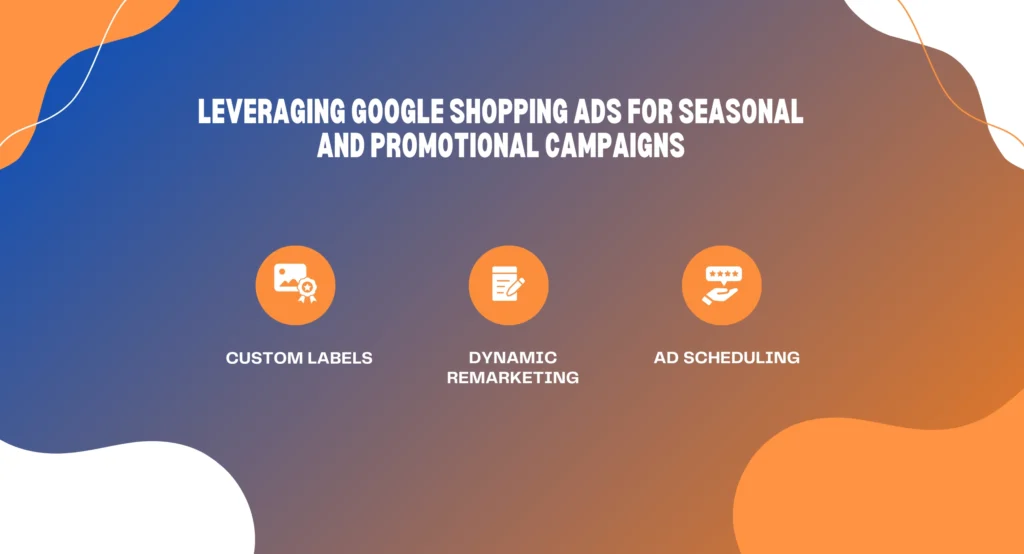
- Custom Labels: Use custom labels to segment your products based on seasonality, sales, or discounts. For example, you can label products as “Summer Sale” or “Holiday Discount,” making it easier to adjust your bidding and targeting strategies for specific products.
- Dynamic Remarketing: For visitors who have interacted with your site but didn’t make a purchase, dynamic remarketing allows you to show the exact products they viewed, with an additional promotional discount or limited-time offer.
- Ad Scheduling: Use ad scheduling to show your Google Shopping Ads during peak times when shoppers are more likely to make purchases. For instance, during the holiday season, you may want to increase your ad exposure in the days leading up to a major sale event.
With these strategies, Google Shopping Ads can help you reach a wider audience during seasonal events and drive higher sales conversions.
Google Shopping Ads and Mobile Shopping: A Growing Trend
Mobile shopping is rapidly growing, and a significant portion of online shoppers now make purchases using their smartphones. Google Shopping Ads are designed to take advantage of this trend by being fully optimized for mobile devices. With more and more customers shopping on the go, optimizing your Shopping Ads for mobile is essential for success.
Here’s how Google Shopping Ads can support mobile shopping:
- Mobile-First Design: Your ads automatically adjust to be mobile-friendly, ensuring that they look great on any device.
- Click-to-Call: For local businesses, Google Shopping Ads can include a click-to-call button, making it easier for mobile shoppers to reach you directly.
- Responsive Design: Whether it’s a mobile search or a mobile app, Google Shopping Ads adapt to the platform to deliver a seamless experience for users.
As mobile shopping continues to rise, ensuring that your Google Shopping Ads are optimized for these devices will help you stay competitive in the marketplace.
Tracking the ROI of Google Shopping Ads
To get the most out of Google Shopping Ads, it’s essential to track the return on investment (ROI) for your campaigns. Without effective tracking, you won’t know which ads are generating the most revenue or where you can improve your campaigns.
Google Ads provides robust tracking and reporting tools that allow you to measure the success of your Shopping Ads campaigns. Here’s how you can track ROI:
- Conversion Tracking: Set up conversion tracking in your Google Ads account to measure how many clicks are turning into actual sales or other valuable actions.
- Use Google Analytics: Google Analytics can be integrated with Google Ads to give you a more detailed view of your website traffic, user behavior, and sales performance.
- A/B Testing: Continuously run A/B tests on your ads to see which products, images, and descriptions are converting best. This will help you refine your strategy and improve your ROI.
By monitoring performance and tracking the ROI of your Google Shopping Ads, you can make data-driven decisions to optimize your campaigns and maximize your sales.
Using Google Shopping Ads in Multilingual and Global Campaigns
If you’re running a business that sells products internationally, Google Shopping Ads offers multilingual support and the ability to run campaigns in multiple countries. This allows you to expand your reach and attract customers from around the world.
Here’s how to optimize Google Shopping Ads for global markets:
- Localized Campaigns: Use different languages and currencies for each country you target. Google allows you to create separate campaigns for different countries, helping you tailor your ads to local preferences and needs.
- Geo-Targeting: Adjust your bids based on geographic location. For example, you may want to bid higher for certain regions where your products have better demand or where you have physical stores.
- Localized Product Feeds: Create product feeds tailored to the specific countries and languages you’re targeting. This ensures that your product data is accurate and relevant for the international market.
Expanding your reach globally with Google Shopping Ads can help you attract international customers and scale your business.
Conclusion
In conclusion, Google Shopping Ads are an incredibly powerful tool for e-commerce businesses. By using high-quality images, optimizing product data, and tracking performance, you can maximize the impact of your ads and drive more sales. Whether you’re new to Google Ads or looking to refine your existing campaigns, Google Shopping Ads can provide the visibility and targeted reach your products need to succeed in today’s competitive market.
Ready to start using Google Shopping Ads for your business?
Take action now and watch your sales soar with Rynox Digital!